 Pilltide
A medicine reminder that rings on time, every time
For anyone keeping track of their own or a parent's medicines. Add each one, pick when to take it, and mark it taken right from the notification.
Get it on Google PlayFree. Works offline. No account. No ads on your doses.
Today
0 of 3 takenTry it: tap Take.
"I just need an app to remind me"
- "My reminder app stopped ringing and I didn't notice until I'd missed two days."
- "It was free, then my history went behind a monthly plan."
- "I tap Taken and get a video ad before I can put my phone down."
Reminders you can trust, and nothing in the way
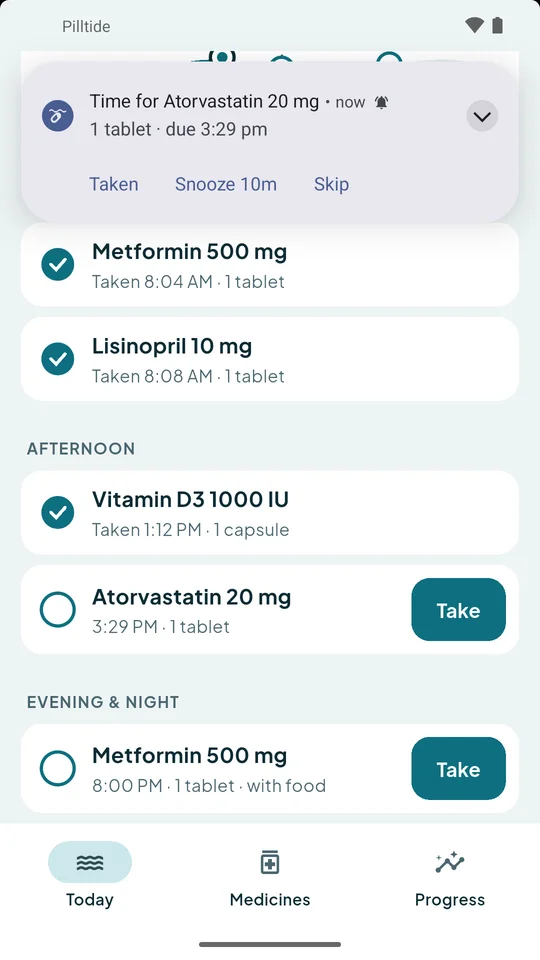
Rings at the exact minute
Pilltide uses exact alarms and sets them again after a restart or a time-zone change. If battery saving or a missing permission would block a reminder, the app tells you, and a test button lets you check.
Taken, Snooze 10 min or Skip sit right in the notification. Not answered? It asks again every 10 minutes for an hour, and you can turn that off per medicine.
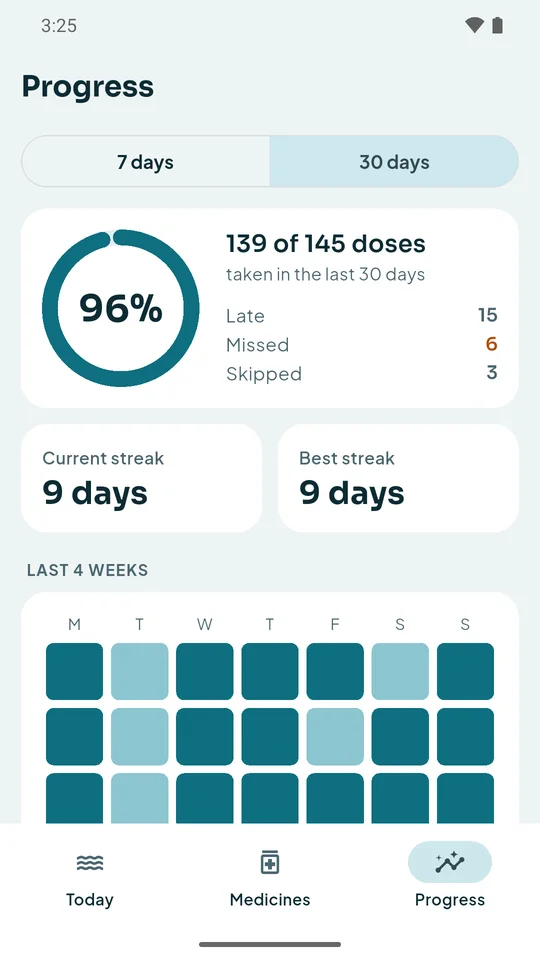
See how you're doing
Your streak, 7- and 30-day rates, a 4-week calendar of missed doses and a bar for each medicine.
Seeing the doctor? Make a 30-day PDF report and share it from your phone.
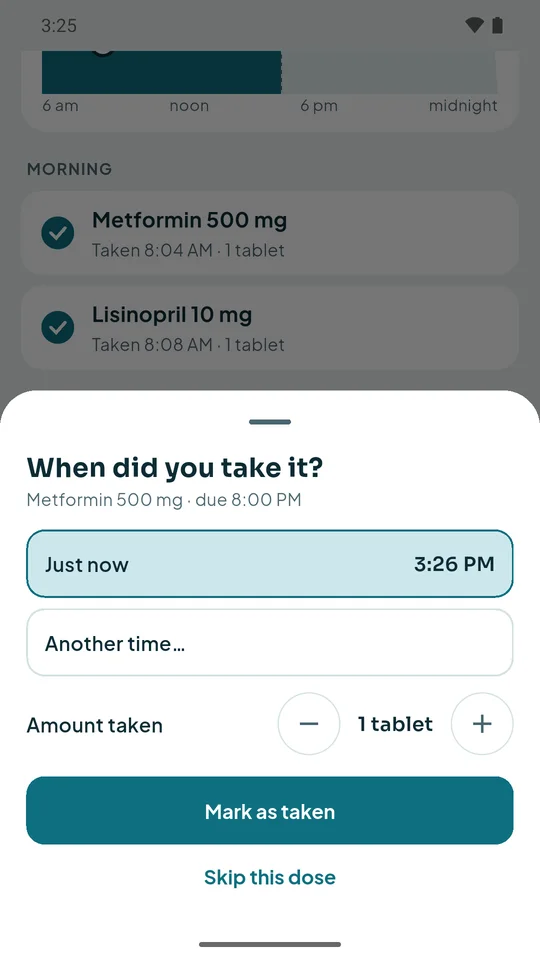
Log what really happened
Took it late? Set the real time. Took half? Set the amount. Your record stays honest without extra steps.
Add a stock count and Pilltide warns you when it's time to refill.
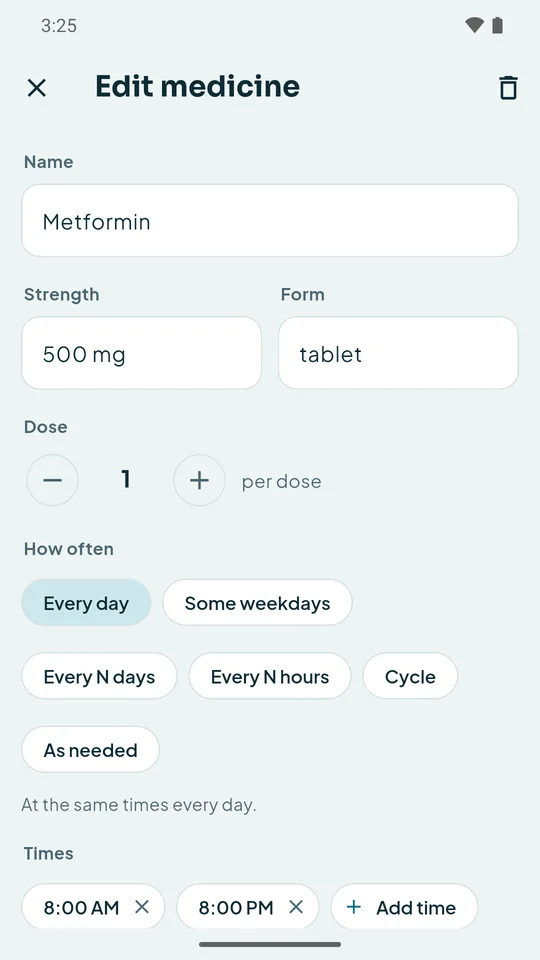
Any schedule, not just daily
Set times each day, chosen weekdays, every few days, every few hours, a cycle like 21 days on and 7 off, or as needed.
Unlimited medicines. Every feature is free, with no subscription.
Set up in two minutes
Add a medicine
Name, strength and how many you take.
Pick a schedule
Times, weekdays, every few hours or a cycle.
Answer the reminder
Tap Taken, Snooze or Skip without opening the app.
Check your progress
Open Progress, or share the doctor report.
See it in 28 seconds
A reminder arrives, a dose is logged from the notification, and the week fills in on Progress.
Questions
Is it really free?
Yes. Every feature is free with no limit on medicines. A few ads pay for it, and they never appear on a reminder, a notification or after you tap Taken.
Will reminders ring when the app is closed?
Yes. Reminders are alarms set in Android, so they ring with the app closed and after the phone restarts. Pilltide warns you if a phone setting would block them.
Where is my data stored?
Only on your phone. There is no account and no cloud, and we never see your medicine list. Read the privacy policy.
Can it handle unusual schedules?
Yes: set times, chosen weekdays, every N days, every N hours, on/off cycles and as-needed medicines.
Does it give medical advice?
No. Pilltide reminds you and keeps a record. It does not check interactions or doses, so follow your doctor's or pharmacist's instructions.
Stop wondering whether you took it
Free, no account, no sign-up.